Ever tried to get your smart devices to play nice and just ended up with a dumb home? I know the frustration. It’s like herding cats.
You’ve got gadgets from every brand under the sun, each with its own app and none of them talking to each other. Annoying, right? IFTTT home integration can change the game. We’re going to get through this tech chaos together.
Trust me, I’ve spent hours testing these setups, creating more than just fancy tech tricks. Your home will anticipate your needs, not just follow commands. By the end, you’ll have clear, actionable steps for smooth home automation with IFTTT integration.
Ready to make your home smarter, not just cluttered with tech? Let’s jump in.
IFTTT: Your Smart Home’s Secret Weapon
Ever heard of IFTTT? It’s this nifty little acronym that stands for If This, Then That. Think of it like this: If the doorbell rings, then the dog barks.
Simple, right? That’s the essence. IFTTT is all about connecting different services.
Like your Philips Hue lights or Google Assistant (so) they talk to each other.
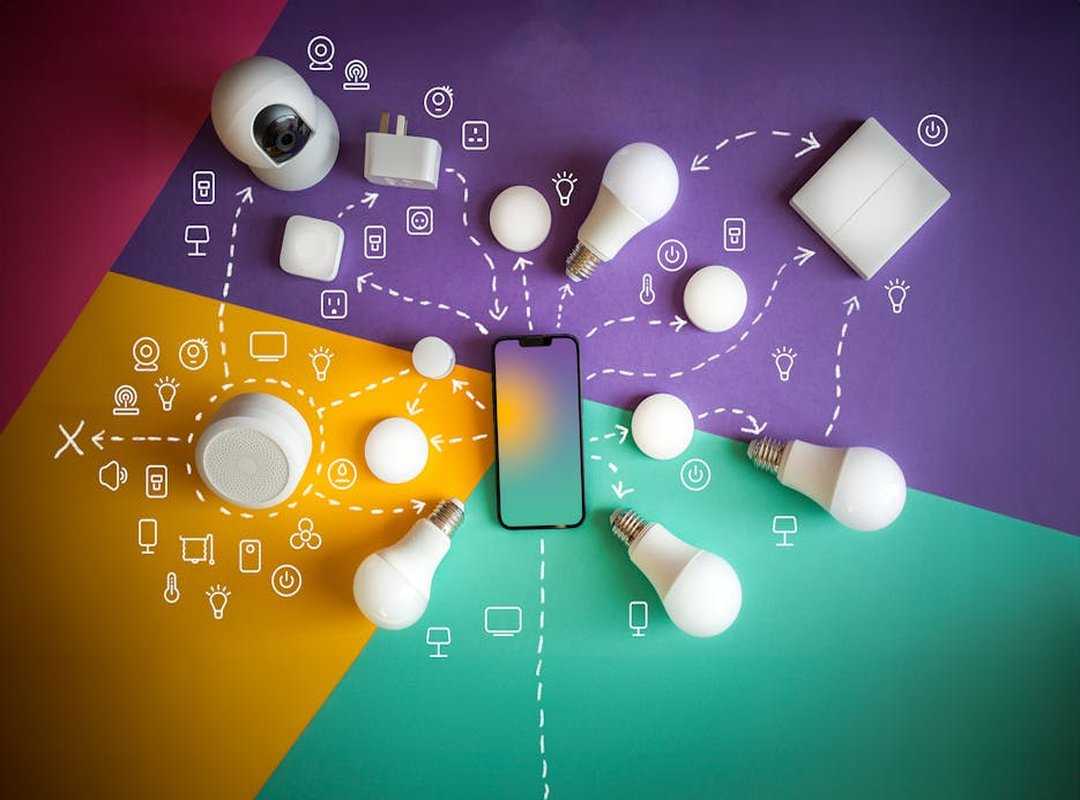
Here’s the deal: you have “Triggers” (the ‘If This’ part) and “Actions” (the ‘Then That’ part). It’s like magic for your gadgets. This is where IFTTT home integration shines.
It acts as a universal translator, letting devices that aren’t meant to work together, well, work together.
Why should you care? Because it unifies dozens of brands under one system. All those gadgets can finally stop being stubborn loners.
It saves you time and mental energy, too. No more repetitive tasks bogging you down. And let’s be real.
You can open up creative automations that go beyond any device’s native app.
Want to Integrate Alexa Automated Home? With IFTTT, it’s a breeze. Your smart home will thank you for it.
Who doesn’t want a home that’s both smart and easy to manage?
Get Started Fast: Automate Your Home in 10 Minutes
So, you’re ready to dive into the world of automation? Great. Let’s cut to the chase.
First thing’s first: sign up for an IFTTT account. You can do this on your desktop or mobile. It’s painless, I promise.
Now, let’s connect your first “Services.” Imagine your phone’s location service and a smart lighting brand (think) Wyze or Philips Hue. This is where the magic starts. It’s like giving your devices a way to talk to each other (and who doesn’t want that?).
Next up, finding and activating a pre-built “Applet.” Here’s a classic: “Turn on my lights when I get home.” Simple, right? It’s like having a tiny butler waiting for your arrival (minus the butler).
You’ll need to configure the Applet now. Decide which lights to turn on and define your “home” location on a map. This part feels like setting coordinates for a secret mission.
Who knew home automation could be this fun?
Testing. Don’t skip this. You really want to make sure it works as expected.
Run through the process once or twice. It’ll save you from any “Why aren’t the lights on?” moments later. Trust me on this one.
Feeling the potential yet? With a little bit of effort, you can transform your space into a smart haven. It’s all about embracing ifttt home integration and simplifying your life.
See? Automating your home doesn’t have to be rocket science. You just made it happen in under 10 minutes.
Easy.
5 IFTTT Recipes: Boost Your Daily Life
to some game-changing IFTTT home integration scenes that can shake up your daily routine. These aren’t just applets; they’re recipes for a smoother, smarter life.

The “Good Morning” Scene. Ever wish your morning coffee made itself? Dismiss your alarm on your Android (simple, right?) and your smart coffee maker kicks in.
At the same time, your bedroom lights start a slow fade-in. It’s a gentle nudge into the day, saving you from fumbling around in the dark. Who wouldn’t want to start the day like this?
Next up, the “Movie Night” Ambiance. One command to Google Assistant or Alexa (“Activate movie night”) and watch your space transform. The main lights dim, colored accent lights come alive, and your TV setup is ready.
It’s like having your own little cinema at home. You might even feel like a director setting the stage.
Then there’s the “Never Forget” Security Check. Your phone knows when you leave home. If your smart lock isn’t engaged, you get a quick notification to lock it up.
No more turning the car around or wondering if you forgot (because, let’s be real, we’re all guilty of that sometimes).
The “Weather-Aware Home” recipe is a personal favorite. As soon as Weather Underground notes sunset, your smart blinds close. Perfect for privacy and keeping the chill out.
It’s like your home is adapting to the rhythm of the day. A small tweak with big comfort benefits.
Finally, the “Package Alert” System. Your doorbell camera detects motion, and boom, your indoor smart lights flash yellow. It’s a visual cue without the fuss of checking your phone.
Never miss a delivery again, and it feels a bit like magic.
Pro tip: Integrating these scenes doesn’t just add convenience. It’s a step toward smarter living. Speaking of smart, if you’re looking to cut down on energy bills, this guide can help you with energy savings through smart thermostat systems.
These recipes aren’t just about tech; they’re about transforming the mundane into something more. Why not give them a try and see how they fit into your life? Chances are, you’ll wonder how you ever lived without them.
Go Beyond: Crafting Custom Applets and Troubleshooting
Let’s talk about taking your IFTTT home integration skills to the next level. Creating custom Applets is like writing your own ticket to automation paradise. You choose your own trigger and action.
Want your lights to dim when you settle in for a movie? You can set that up. Feeling extra ambitious?
Multi-action Applets are your new playground. This means you can string together multiple actions, like locking your door, turning off the lights, and adjusting the thermostat, all when you leave home. Who wouldn’t want their house to do all that unprompted?
Now, let’s get real. Sometimes these Applets just don’t work. It’s frustrating, right?
But don’t worry. I’ve got you covered with some quick fixes. First, check the ‘Activity’ log in your IFTTT account.
It might reveal some errors. If something’s off, reconnect the services involved (a simple refresh can work wonders). Also, make sure your trigger device is powered up and connected to the internet.
Seems basic, but it’s key.
Pro tip: If you’re using multiple services, double-check they’re all authorized. Some platforms just don’t play nice until you give them the green light.
So there you have it. The road to smooth IFTTT home integration is paved with creative Applets and a bit of troubleshooting know-how. Embrace the chaos (it’s worth it).
Open up Your Home’s Full Potential
Tired of a bunch of smart gadgets that just won’t talk to each other? I get it. But now, thanks to the tips in this article, you’ve got the power to change that through IFTTT home integration.
A smart home should make your life easier, not more complicated. So, let’s make it happen. I challenge you to pick one ‘recipe’ from this article and set it up now.
Feel the magic of a truly connected home. Want a home that adapts to you? Dive in.
Take that first step today. Your smart home awaits.
 Décor & Functional Living Editor
Monica Hollandaverso writes the kind of prist décor and style trends content that people actually send to each other. Not because it's flashy or controversial, but because it's the sort of thing where you read it and immediately think of three people who need to see it. Monica has a talent for identifying the questions that a lot of people have but haven't quite figured out how to articulate yet — and then answering them properly.
They covers a lot of ground: Prist Décor and Style Trends, Smart Home System Integrations, Liv-Inspired Living Concepts, and plenty of adjacent territory that doesn't always get treated with the same seriousness. The consistency across all of it is a certain kind of respect for the reader. Monica doesn't assume people are stupid, and they doesn't assume they know everything either. They writes for someone who is genuinely trying to figure something out — because that's usually who's actually reading. That assumption shapes everything from how they structures an explanation to how much background they includes before getting to the point.
Beyond the practical stuff, there's something in Monica's writing that reflects a real investment in the subject — not performed enthusiasm, but the kind of sustained interest that produces insight over time. They has been paying attention to prist décor and style trends long enough that they notices things a more casual observer would miss. That depth shows up in the work in ways that are hard to fake.
Décor & Functional Living Editor
Monica Hollandaverso writes the kind of prist décor and style trends content that people actually send to each other. Not because it's flashy or controversial, but because it's the sort of thing where you read it and immediately think of three people who need to see it. Monica has a talent for identifying the questions that a lot of people have but haven't quite figured out how to articulate yet — and then answering them properly.
They covers a lot of ground: Prist Décor and Style Trends, Smart Home System Integrations, Liv-Inspired Living Concepts, and plenty of adjacent territory that doesn't always get treated with the same seriousness. The consistency across all of it is a certain kind of respect for the reader. Monica doesn't assume people are stupid, and they doesn't assume they know everything either. They writes for someone who is genuinely trying to figure something out — because that's usually who's actually reading. That assumption shapes everything from how they structures an explanation to how much background they includes before getting to the point.
Beyond the practical stuff, there's something in Monica's writing that reflects a real investment in the subject — not performed enthusiasm, but the kind of sustained interest that produces insight over time. They has been paying attention to prist décor and style trends long enough that they notices things a more casual observer would miss. That depth shows up in the work in ways that are hard to fake.