
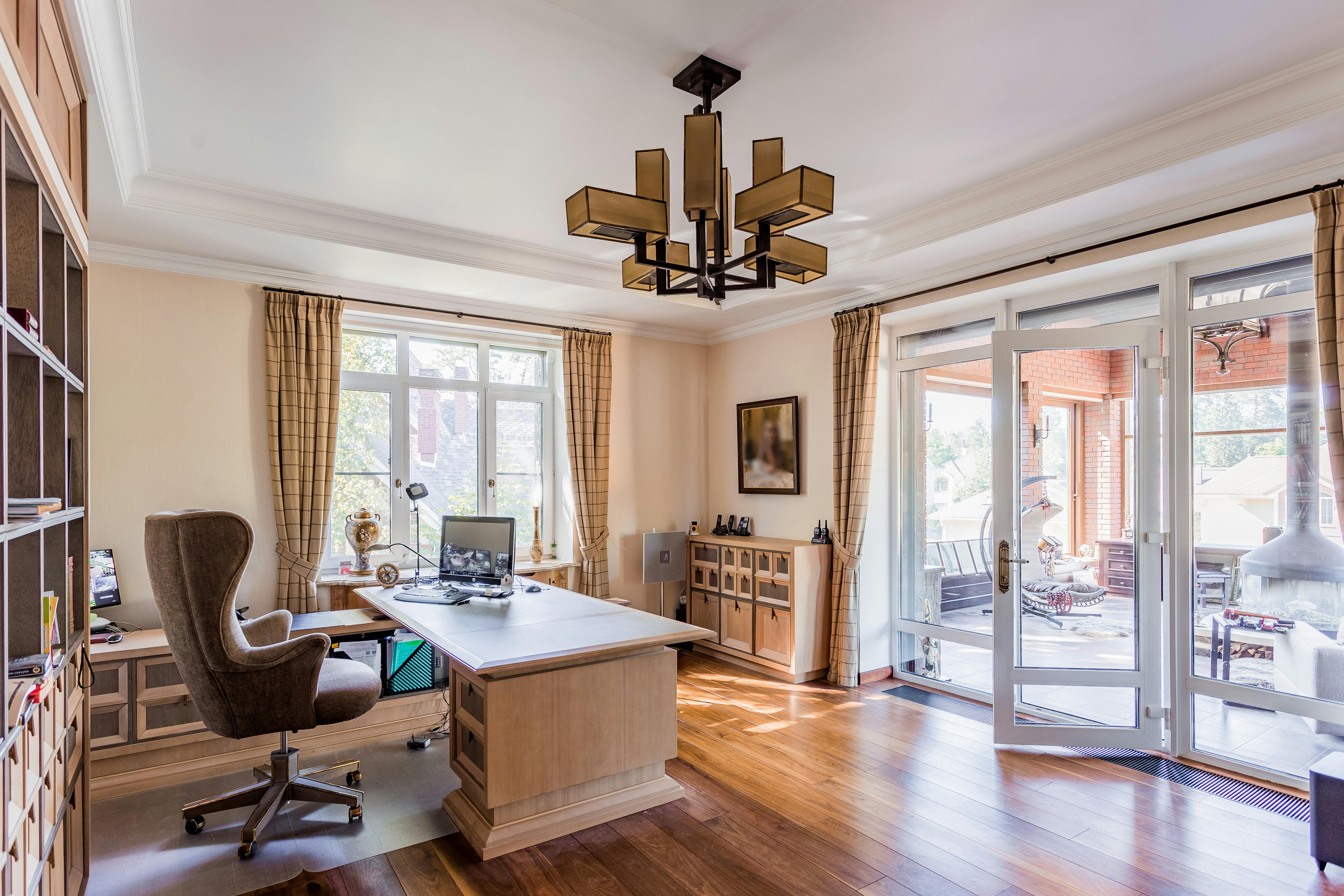
Working from home sounds simple at first. Grab your laptop, find a quiet corner, and get started. But after a few days, the problems start showing up. The kitchen chair hurts your back, papers pile up everywhere, and video calls suddenly happen beside laundry baskets and barking dogs. That’s when you realize a home office needs proper planning if you want your days to run smoothly.
A good setup changes how you work. You stay focused longer, and your meetings feel less chaotic. The goal isn’t turning your home into some corporate office with cold lighting and stiff furniture. You just need a space that helps you stay organized, comfortable, and productive without taking over your personal life.
Let’s explore how you can build a home office that works for real life, not just social media photos.
Understanding Why a Home Office Needs Proper Planning
A home office affects your schedule, focus, and even your mood during the day. Without a plan, work spreads into every room, and before long, you’re answering emails from the couch at night.
When you organize your workspace properly from the beginning, your day feels more structured. You know where everything is, your equipment works the way it should, and distractions stay under control. Even small details help. A proper desk gives you space to work comfortably, while decent lighting reduces eye strain during long hours.
Planning ahead also prevents expensive mistakes. Buying random furniture or setting up in the wrong room usually leads to rearranging everything a month later.
Why Professional Office Movers Make the Transition Easier
Moving office equipment sounds manageable until you start lifting monitors, printers, filing cabinets, and boxes full of cables. One wrong move and something expensive ends up damaged. That’s why professional office movers are worth considering, especially if you’re relocating a full setup.
They know how to pack electronics safely, organize equipment properly, and move everything without turning the process into a stressful mess. You also avoid wasting days trying to disconnect wires, label boxes, and carry heavy furniture yourself.
Professional movers help keep your work routine on track. Instead of spending a week surrounded by unpacked boxes, you can get your office running faster and return to work without unnecessary delays. That kind of efficiency matters when deadlines and meetings don’t stop just because you’re relocating.
Choosing the Right Space Inside Your Home for Work
Not every corner of your house works as an office. You need a space where you can focus without constant interruptions. A spare bedroom works great, but even a quiet section of the living room can do the job if you set it up properly.
Natural light helps more than people realize. A bright room keeps the space feeling open and helps you stay alert during the day. Dark corners tend to feel cramped, especially after several hours of work. Noise matters just as much. Setting up beside the TV or near heavy foot traffic usually leads to constant distractions.
Try choosing a space with enough room for your equipment without making the area feel crowded. You want your office to feel functional, not squeezed between random household items.
Setting Up Furniture That Supports Comfort and Productivity
Bad furniture catches up with you quickly. A cheap chair and tiny table might seem fine during the first week, but long workdays make every discomfort noticeable. Your back starts hurting, your neck feels stiff, and sitting through meetings becomes frustrating.
A supportive chair changes that completely. You sit comfortably longer, your posture improves, and you stop adjusting positions every few minutes trying to get comfortable. A desk with enough surface space also helps keep things organized instead of stacking papers and devices on top of each other.
Storage such as drawers, shelves, or cabinets helps keep cords, files, and supplies under control. A cleaner workspace helps your mind stay focused instead of constantly reacting to clutter around you.
Creating Reliable Internet and Technology Connections
Nothing ruins a workday faster than unstable internet during an important meeting. Freezing screens, delayed audio, and dropped calls make even simple tasks frustrating. Your home office needs reliable technology if you want your day to run smoothly.
So make sure you have a strong internet service that can handle video calls, uploads, and multiple devices without slowing down. If your Wi-Fi struggles in certain rooms, adding a mesh system or signal extender can solve the problem quickly.
Your equipment matters just as much. A dependable laptop, a good webcam, and a clear microphone make communication easier and help you look professional during meetings.
Managing Noise, Lighting, and Daily Distractions at Home
Working from home sounds peaceful until lawnmowers start outside, the dog barks during meetings, or someone turns the TV volume all the way up.
Noise control helps create a calmer environment. Noise-canceling headphones work well for busy households, especially during calls or focused tasks. Rugs, curtains, and soft furniture also absorb sound and stop rooms from echoing during meetings.
Lighting changes how your workspace feels throughout the day. Harsh overhead lighting gets tiring after hours of screen time, while dim rooms make it harder to stay focused. A mix of natural light and soft desk lighting keeps the room comfortable without straining your eyes. Small adjustments like these help your workday feel smoother and less draining.
Designing a Workspace That Reflects Professionalism
Your home office still represents you during meetings, interviews, and client calls. Even if people only see part of the room through a webcam, the space leaves an impression. A cluttered background can make meetings feel distracting and disorganized.
You don’t need a fancy setup to look professional. Clean surfaces, neutral colors, and simple décor create a polished appearance without feeling cold or staged. A bookshelf, framed artwork, or plant can make the space feel welcoming while still looking work-appropriate.
Your camera angle is important, too. Good lighting and a clean background help you appear more prepared and focused during video calls. When your workspace looks organized, conversations feel smoother because attention stays on what you’re saying instead of what’s happening behind you.
A home office changes more than where you work. It changes how your mornings begin, how your day flows, and how your home feels once work is finished. When the setup is done properly, work stops feeling scattered and stressful. You can focus without constant interruptions, move through your day with less frustration, and actually enjoy spending time in your workspace.
The best home offices aren’t built to impress people online. They’re built around your routine, your comfort, and the kind of work you handle every day. Once your space supports those things properly, your workday feels steadier, your house feels calmer, and the line between work and personal life becomes much easier to manage.
 Smart Home Systems & Integration Specialist
Herbert Hamiltonatier is the kind of writer who genuinely cannot publish something without checking it twice. Maybe three times. They came to smart home system integrations through years of hands-on work rather than theory, which means the things they writes about — Smart Home System Integrations, In-Depth Guides, Highlight Hub, among other areas — are things they has actually tested, questioned, and revised opinions on more than once.
That shows in the work. Herbert's pieces tend to go a level deeper than most. Not in a way that becomes unreadable, but in a way that makes you realize you'd been missing something important. They has a habit of finding the detail that everybody else glosses over and making it the center of the story — which sounds simple, but takes a rare combination of curiosity and patience to pull off consistently. The writing never feels rushed. It feels like someone who sat with the subject long enough to actually understand it.
Outside of specific topics, what Herbert cares about most is whether the reader walks away with something useful. Not impressed. Not entertained. Useful. That's a harder bar to clear than it sounds, and they clears it more often than not — which is why readers tend to remember Herbert's articles long after they've forgotten the headline.
Smart Home Systems & Integration Specialist
Herbert Hamiltonatier is the kind of writer who genuinely cannot publish something without checking it twice. Maybe three times. They came to smart home system integrations through years of hands-on work rather than theory, which means the things they writes about — Smart Home System Integrations, In-Depth Guides, Highlight Hub, among other areas — are things they has actually tested, questioned, and revised opinions on more than once.
That shows in the work. Herbert's pieces tend to go a level deeper than most. Not in a way that becomes unreadable, but in a way that makes you realize you'd been missing something important. They has a habit of finding the detail that everybody else glosses over and making it the center of the story — which sounds simple, but takes a rare combination of curiosity and patience to pull off consistently. The writing never feels rushed. It feels like someone who sat with the subject long enough to actually understand it.
Outside of specific topics, what Herbert cares about most is whether the reader walks away with something useful. Not impressed. Not entertained. Useful. That's a harder bar to clear than it sounds, and they clears it more often than not — which is why readers tend to remember Herbert's articles long after they've forgotten the headline.